Which website platform should you use?
Ask most agencies and you will get the name of the platform they happen to build on. We build on all of the major ones and resell none of them, so here is the version where the answer depends on your site rather than on us.
Quick answer: selling physical products, choose Shopify. A marketing site your team will edit, choose Webflow, or Framer if it is small and needs to ship fast. A large content operation or unusual plugin requirement, WordPress. Already deep in WordPress and adding a shop, WooCommerce. Reach for custom code only when the website is the product rather than a description of it.
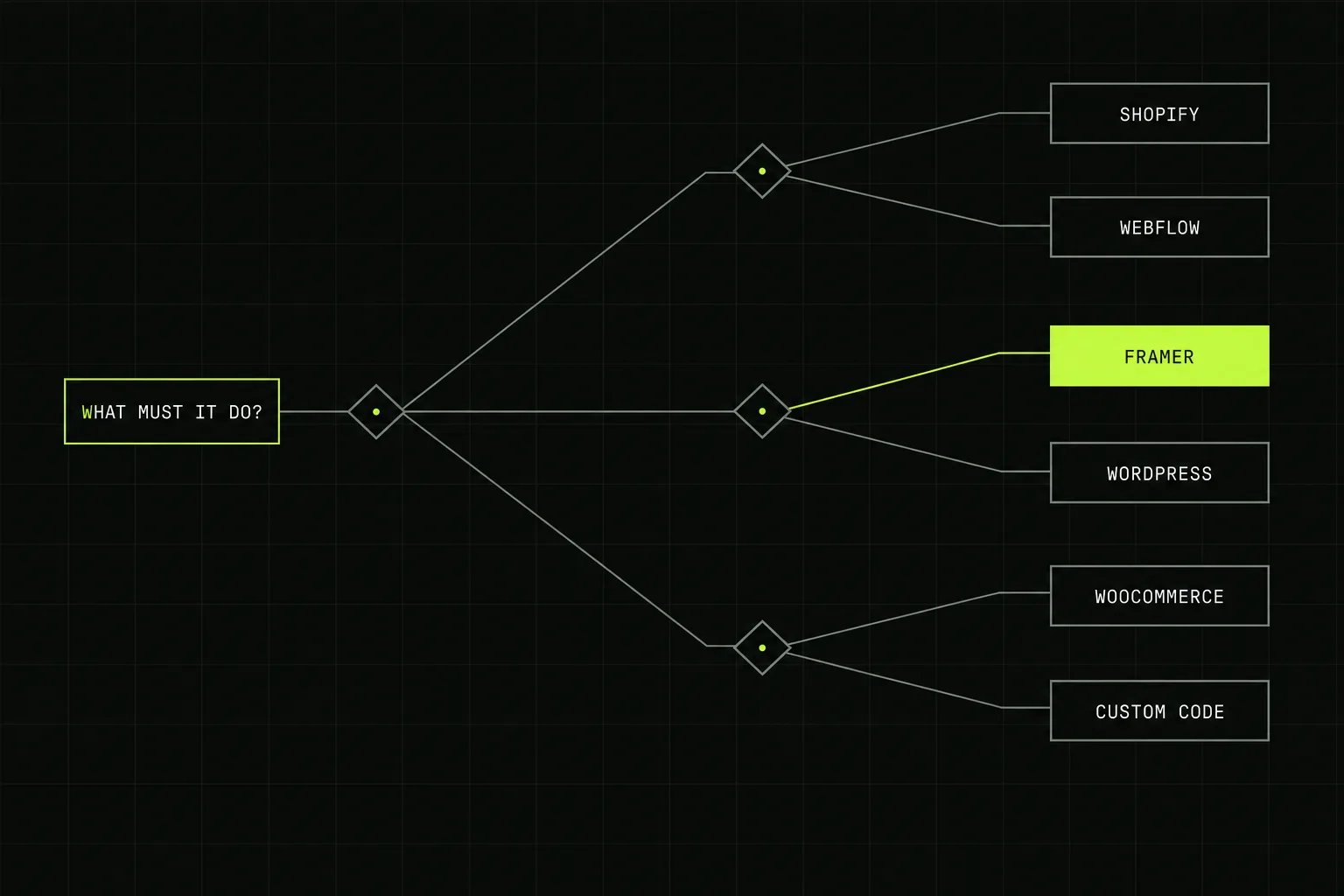
Three questions get you most of the way to an answer.
The three questions that actually decide it
Feature lists are close to useless here, because every serious platform can build a good-looking site. What separates them is fit. Answer these three honestly and the shortlist writes itself.
- Are you taking payment for products? If yes, you are choosing an ecommerce platform and the rest of the field mostly falls away. Selling a service or taking bookings is a different question with a much wider answer.
- Who edits it after launch, and how often? A site changed twice a year and a site changed twice a week are different products. If a non-technical marketer needs to publish without a developer, that single requirement eliminates more options than anything else.
- How much content will exist in three years? Twelve pages and 400 pages need different content models. Platforms that feel elegant at twelve pages become painful at four hundred, and the reverse is also true.
Notice what is not on that list: what the platform costs. Licence fees are the smallest variable in almost every website decision, and choosing on price is how people end up paying for a migration two years later.
The platforms, honestly
| Platform | Genuinely good at | The real limitation |
|---|---|---|
| Webflow | Business and marketing sites, structured CMS content, full control of titles, canonicals, redirects and schema. Native ecommerce if the catalogue is modest. | Steeper for the person maintaining it than a page builder. Costs scale with CMS items and locales. |
| Framer | Landing pages, campaign sites, startup marketing sites. Fastest route from design to live, genuinely strong performance. | CMS costs climb quickly, no per-page canonical control, no code export, no native ecommerce. |
| WordPress | Large content operations, memberships, courses, unusual content structures, and a plugin for essentially everything. | Maintenance and security are ongoing work, not optional. Plugin sprawl is how most WordPress sites become slow. |
| Shopify | Selling physical products. Checkout, payments, tax, shipping, stock and multi-channel all handled and maintained for you. | Plan fees plus card fees, and an extra fee if you use an outside payment gateway. Checkout customisation is limited below Plus. |
| WooCommerce | Adding a shop to an existing WordPress site, or a store needing unusual rules. Takes 0% of revenue. | You own the maintenance, hosting, security and every extension bill. Cheap to license, not cheap to run. |
| Custom code | Applications, unusual logic, real-time data, deep integration with internal systems. | Every change needs a developer, forever. Correct surprisingly rarely for a marketing site. |
| Wix and Squarespace | Getting a decent-looking site live yourself, quickly and cheaply, with no help. | Ceilings arrive early on structured content, integrations and technical SEO control. Fine to start on, awkward to grow on. |
A decision path
Work down the list and stop at the first row that describes you.
| If this describes you | Start here |
|---|---|
| Selling physical products, any volume | Shopify |
| Selling products and already running WordPress with content you will not move | WooCommerce |
| The site is a software product or has application logic in it | Custom code, with a marketing site alongside it on a platform |
| Hundreds of articles, a membership area or a course | WordPress |
| Marketing site, a team that will publish regularly, room to grow | Webflow |
| Small marketing or campaign site that needs to be live in days | Framer |
| No budget, no traffic yet, testing whether the business exists | Whatever you can build yourself this weekend. Revisit at revenue |
Platform fees in context
Worth seeing the numbers precisely so you can stop weighing them. These are the published 2026 platform fees, and the point of the table is how small the spread is compared with a build.
| Platform | Typical monthly fee | Plus |
|---|---|---|
| Webflow | $15 Basic, $25 Premium | Extra for higher CMS item counts and localisation |
| Framer | From $10 Basic | CMS collections, items, pages and bandwidth are charged separately and add up fast |
| WordPress | £20 to £150 hosting | Paid plugins, security tooling and maintenance time |
| Shopify | £19 Basic, £49 Grow, £259 Advanced | 1.5% to 2% + 25p per order, plus apps |
| WooCommerce | £0 for the plugin | Hosting, extensions, and 1.50% + £0.25 per order on WooPayments |
Across three years the difference between the cheapest and dearest non-ecommerce option here is a few hundred pounds. A single unnecessary migration is several thousand. Choose for fit.
The mistakes that cost the most
- Choosing the platform before defining the site. The requirements should pick the platform, not the reverse. It happens the wrong way round more often than not.
- Choosing the agency's platform by accident. Ask each one what they would build on and why. If the answer never depends on the question, that is the answer.
- Optimising for the monthly fee. The fee is noise next to build cost, staff time and the cost of moving later.
- Ignoring who maintains it. Every platform is easy for someone. Pick one that is easy for the person who actually has to use it on a Tuesday afternoon.
- Building an ecommerce site on a non-ecommerce platform. Bolting a shop onto a marketing platform works until tax, stock or refunds get real.
- Assuming you can move cheaply later. Content migrates, design does not, and URL mapping is the expensive part. See the redesign guide.
Go deeper on any pairing
Each of these compares two platforms properly, with current pricing and real numbers rather than feature lists:
- Webflow vs WordPress, including the honest three-year cost of ownership
- Webflow vs Framer, with real Core Web Vitals data and the CMS cost gap
- Shopify vs WooCommerce, with UK transaction fees compared
- Is Webflow good for SaaS, if the site sits alongside a product
How we decide
We ask what the site has to do, who will maintain it and what it needs to become, then recommend accordingly. We build on every major no-code platform and in custom code, which means we have nothing to gain from the answer, and we will tell you when a platform we do not build on is the better fit for you.
Fixed price agreed against a written scope, most projects from £2,500, typically live in 2 to 4 weeks. For budgeting, see the UK website cost guide or the ecommerce cost guide. For choosing who builds it, see how to choose a web design agency, or see what we do on our web design service page. Building it yourself instead? The best website builder for a small business compares the DIY options honestly.
Frequently asked questions
What is the best website platform for a small business?
For most small businesses with a marketing site and no shop, Webflow or Framer. Both give a fast, well-structured site your own team can edit without a developer. If you are selling physical products, Shopify. If you need a large content operation or heavy third-party integrations, WordPress. There is no single best platform, only a best fit for how your site will be used.
Is WordPress still worth using in 2026?
Yes, for the jobs it is genuinely good at: large content sites, membership and course platforms, complex custom post structures, and anything needing a plugin ecosystem nothing else matches. Its costs are maintenance and security rather than licensing. If a five-page marketing site is all you need, WordPress is more machinery than the job requires.
Should I choose the platform before choosing an agency?
No, and doing so quietly narrows your options. Most agencies build on one platform and will recommend it whatever you need, so picking the platform first often means picking the agency first without realising. Describe the problem, ask two or three agencies what they would build on and why, and treat an answer that never varies as information about them.
Can I move to a different platform later?
Yes, but it costs more than people expect. Content moves reasonably well, design does not move at all, and the expensive part is mapping every existing URL to its replacement so search rankings survive. Budget for a migration as a project rather than an afternoon. Our redesign guide covers what that involves.
Which platform is best for SEO?
All the serious ones are capable of ranking, and the platform is rarely the reason a site does not. Webflow and WordPress give the most direct control over titles, canonicals, redirects and structured data. Framer is technically sound but limits per-page canonicals and sitemap editing. Content, site structure and links decide far more than the platform does.
When do you actually need custom code?
When the product is the website rather than a description of it: a user-facing application, a booking engine with unusual rules, real-time data, or an interface that has to talk to internal systems in ways no platform anticipates. If a platform can do 90% of it, use the platform. Custom code buys freedom and costs you a maintainer.